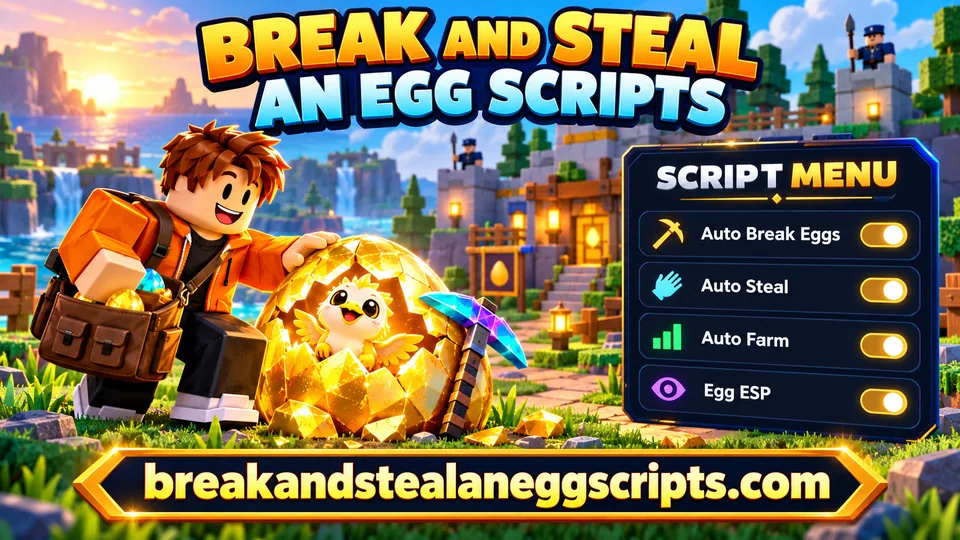
Find Break and Steal an Egg scripts for Roblox with Auto Farm, Auto Break Eggs and Auto Steal features. Compare what each menu does, check its key requirement, then copy the code or get the .lua file. Below the catalog, learn how these features relate to animals, guards, cash and your base, with separate notes for Android, iOS and PC.
CM Hub gives Break and Steal an Egg players instant animal stealing and a control menu for automated theft. Choose how the auto-steal system works and target animals by rarity.
Dexa Hub for Break and Steal an Egg helps automate animal stealing and farming while letting you adjust your movement speed. It is made for Delta and does not require a key.
Lumin Hub is an auto-farming script for Break and Steal an Egg. It includes Full Auto, pet controls, and a way to send pets back to your base, with support for PC and mobile devices.
Mario Hub for Break and Steal an Egg automates animal stealing and egg breaking. It also includes Rob Carriers to intercept animals from carriers and lets you choose the egg-breaking area.
Ouroboros Hub for Break and Steal an Egg automates egg breaking, animal collection, selling, and base upgrades. It also includes Egg ESP, speed controls, flight, infinite jump, NoClip, instant interactions, reconnect support, and a keyless loader.
Automatically break eggs
Steal animals automatically with a selectable zone
Spiritual Gaming Hub adds a menu for automatic egg stealing by zone in Break and Steal an Egg. The available zones are Ocean, Hell, Blossom, and Galaxy; the screenshot also shows automatic pickaxe purchases and plot upgrades.
Each menu has its own features and requirements. A status describes the catalog entry; downloading a file does not test it inside Roblox.
Break and Steal an Egg in Roblox: Eggs, Animals and Cash
An egg is only the start of a run in Break and Steal an Egg. You break it, discover an animal, get away from the guards and bring your find home. Animals placed at your base earn in-game cash, which gives the next trip a purpose. The Index records your collection. That sequence explains why players look for different kinds of scripts: repeating pickaxe actions is one task, carrying an animal is another, and managing the whole route is a much bigger request.
Why pickaxe, speed and satchel upgrades matter
The game is by ILGames x Eggs. Its Roblox Place ID is 114326934417838. Steal an Egg is a separate game, even though the names and some ideas are similar. Check the full game name before choosing code. A menu made for the other experience can open without understanding any of the objects in this one.
Pickaxe and speed upgrades affect different parts of your journey. Carrying capacity also matters when planning which animals to bring back. Start by learning an ordinary route, the base entrance and the choices available in the game. Then compare a script's actual feature list with the task you want to repeat, rather than assuming the biggest menu does everything.
Break and Steal an Egg Auto Farm Scripts
Auto Farm describes a repeatable routine, but the label does not define that routine for every script. One implementation might focus on an egg-related action; another may combine target selection, collection and returning home. Read each card as a description of that particular menu. A function mentioned in this guide is an explanation of a feature category, not a promise that every published script includes it.
What a complete Auto Farm loop includes
Think about where a cycle begins and ends. Does it wait for you to choose a target? Does it stop when an egg disappears? What happens when there is no room to carry another animal? These details tell you much more than a claim of unlimited farming. Keep the target, movement and placement options separate until you understand their interaction.
A complete loop needs several successful steps. If the menu only repeats breaking, you still handle the return yourself. If it collects an animal but does not place it, the route remains unfinished. Start with one supported option, watch its behavior and stop it before changing unrelated settings. Filters choose among available targets; they do not create rare animals or change the game's rewards.
Break and Steal an Egg Auto Break Scripts
Auto Break Eggs concerns the action used on an egg. It can reduce repeated input when the exact script supports the current game, but it should not be read as Instant Break. The name alone says nothing about one-hit breaking, pickaxe limits or which eggs can be targeted. Look for a description of target selection and whether the action follows a chosen egg or searches for another one.
Auto Break Eggs, target selection and pickaxe upgrades
There are useful questions to ask before comparing menus: can a target be changed, does the option require a nearby egg, and does it stop cleanly when that egg is gone? Avoid switching several movement options on at the same time while checking a breaking action. Otherwise it becomes difficult to tell which setting affected the result.
Pickaxe upgrades belong to the game's own progression. An automatic action does not prove those conditions have been removed. If an egg takes several actions manually, do not assume a script will make it a single action. When reporting a problem, describe the target and the failed step rather than saying only that Auto Farm is broken.
Break and Steal an Egg Auto Steal Scripts
Auto Steal is about selecting or collecting an animal, while the journey back to the base may be handled separately. Compare the precise verbs in a card. Collect, return and place describe different actions, even when they appear beside one another in a menu. An Auto Steal label does not establish instant transport, unlimited carrying space or the ability to ignore guards.
Bringing animals back to your base
Your useful destination is the base, where animals contribute to income. An option that reaches an animal but leaves it away from home has completed only part of the route. Check whether Return to Base or Auto Place is explicitly listed before expecting either behavior. Distance and available space can still affect the process.
Use a simple route to understand an available option. Select one animal category when a real filter is provided and observe where the routine stops. A rarity selector chooses a target from what exists; it is not a reward multiplier. If an animal is collected but not placed, that symptom points to a different step from an egg that never breaks. Keep those observations separate when comparing scripts.
ESP, Teleport and Other Script Features
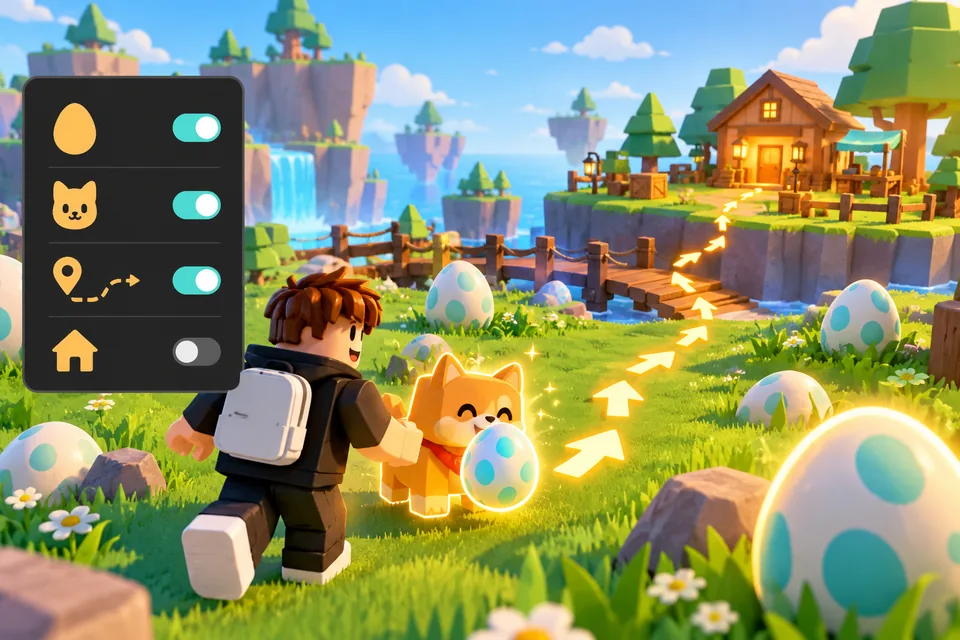
ESP makes selected objects easier to identify through a visual overlay. Egg ESP, Animal ESP and Guard ESP are separate possibilities. A menu that highlights eggs does not automatically identify animals or guards. Read which objects the exact script supports, and do not infer additional overlays from a single ESP badge. The illustration here shows a concept, not a tested software screenshot.
Teleport is another category. A destination list can concern the base or other named points, but a menu entry does not prove that every zone is reachable. Highlighting an object and moving toward it are different behaviors. Neither makes the object rare or removes the game's rules.
Egg ESP in Break and Steal an Egg
Feature
Game task
Conditions to read
Auto Break
Repeated actions on eggs
Target and pickaxe requirements
Auto Steal
Collect an animal
Carrying and return steps
ESP
Recognize selected objects
Supported object types
Speed controls and Auto Upgrade also need their own descriptions. Moving faster is not the same as buying an ordinary upgrade with cash. Choose a function because it solves a clear part of your route, not because its name sounds like a complete shortcut.
Keyless Break and Steal an Egg Scripts
No Key refers to the script's own access system. If a published card has this label, it means the script is listed without its own key requirement. It does not answer whether a separate executor needs a key, registration or another step. Free access on this website means reading and receiving the listed code costs nothing here.
What No Key means in Break and Steal an Egg
Use the No key filter to narrow an available collection. Do not assume every entry qualifies, and do not treat a missing badge as evidence of a particular key flow. The requirements belong to each script and can differ across menus. This site does not issue third-party keys.
A keyless label is an access detail, not a security certificate or a guarantee against account consequences. Never provide a Roblox password, session cookie or someone else's credentials to obtain a script. If a link asks for those details, stop and review the actual provider and purpose before continuing.
Delta, Xeno and Solara: Choosing an Executor
The script is text; an executor is a separate program that interprets that text in its own environment. Delta, Xeno and Solara are names people search for, but naming them does not confirm that a particular script supports them. Use the relationships and platform details of the actual catalog entry. When no relationship is provided, compatibility remains unknown.
Matching Break and Steal an Egg scripts to your executor
Version, operating system and the game can all matter. An executor supporting one platform does not make every listed script suitable for that platform. Equally, a touch-friendly menu is a statement about its controls, not a verified iOS release. The executor guide explains how to read those distinctions.
Third-party scripts are not part of the official Roblox client and may violate game or platform rules. No download here grants permission from Roblox or guarantees an account will avoid sanctions. Keep that limitation in mind when deciding whether to use third-party software. This catalog does not ask you to disable antivirus software or operating-system protection, and it does not supply invented program versions or installers.
Scripts on Android, iOS and Windows PC
Android. A .lua file is text, not an APK. Saving it in Downloads does not install a menu into the Roblox app. Check an executor's stated Android support separately from the script. Touch controls need enough space for toggles and a reachable close control; a small screen can make an otherwise visible menu difficult to manage.
iPhone/iPad — iOS. Android support says nothing about iOS. The same text file may be readable on both devices, while the required execution environment is different or unavailable. A file opening in a text viewer is normal and does not establish compatibility. Do not install an unrelated profile or provide account secrets to make a script appear supported.
Break and Steal an Egg on mobile and desktop
Windows PC. A .lua file is not an .exe installer. Read the linked executor information for the actual supported operating system, then distinguish keyboard input from the script's game actions. If only the menu appears, investigate its features rather than assuming the entire combination is working.
Device
Environment
Controls
Limit
Android
Explicit Android support
Touch
.lua is not APK
iOS
Separate iOS support
Touch
No inferred Android compatibility
Windows
Explicit Windows support
Mouse and keyboard
.lua is not an installer
How to Copy and Download Break and Steal an Egg Scripts
Choose a card in the collection before taking any code. Its features are followed by DOWNLOAD and the full code block. Copy uses that card's text immediately. If the browser cannot write to the clipboard, select the visible code and copy it manually. Keep the whole string, including quotes and punctuation; changing a loader address can change what the code requests.
Downloading a Break and Steal an Egg .lua file
DOWNLOAD opens a page for the chosen script. A 15-second countdown prepares the file link. Refreshing a valid link keeps the existing waiting time, and changing the color theme does not restart it. Once ready, choose Download .lua. Without JavaScript, use the readiness check on the same page after waiting.
The file and the copied text are two ways to receive the same selected revision. Downloading does not install an executor or run code in Roblox. If an entry is withdrawn or a link expires, return to the collection and choose a current entry. The full usage guide covers file saving and browser behavior in more detail.
Script Problems and Frequently Asked Questions
A menu opening tells you the interface appeared. It does not confirm that target selection, breaking, carrying and placement all work. Check the full game name first, then isolate the failed action. If a feature stopped after a game change, repeatedly downloading the same text will not necessarily fix it. The troubleshooting page helps you describe the symptom.
Break and Steal an Egg cheats and hacks: common questions
Problem
Check
Next step
Menu only
Game and target
Check one function
Key prompt
Script or executor
Read its own requirement
File opens as text
.lua extension
Keep the original text
Is Break and Steal an Egg the same game as Steal an Egg?
No. This catalog concerns the ILGames x Eggs game with Place ID 114326934417838. Similar names do not make script code interchangeable. Check the full game title and the entry's intended game.
What is the difference between Auto Farm, Auto Break and Auto Steal?
Auto Break concerns egg-breaking actions. Auto Steal concerns collecting animals. Auto Farm is a broader routine whose actual steps depend on the menu. Return and placement may be separate options.
Are there Break and Steal an Egg scripts without a key?
Only entries explicitly labeled No key should be treated that way. The filter shows matching published entries when available. An executor's separate key requirement does not determine the script's own requirement.
Can the same script run on Android, iPhone and Windows?
The text can be saved on those devices, but execution support is a separate question. Read each script's executor relationships and each executor's actual platform information; never infer iOS support from Android.
Why does the script menu open but a feature not work?
The interface and game actions are separate parts. Check the intended game, target settings, individual option and available compatibility information. Report the specific failed action without account passwords or session cookies.
How do I copy the script or download its .lua file?
Use Copy beside the visible code, or DOWNLOAD on that card. The file page keeps your selected script and unlocks Download .lua after 15 seconds. Receiving the file does not execute it.